Mastering Class | Seattle
Audio Mastering Course
Our Mastering Course is designed for today’s multi-genre modern engineer. While being completely focused on mastering “in-the-box” (in a computer), we provide you with the ability to achieve that commercial sound through the understanding of various analog circuits and effect processors. You will leave with a fully mastered track, and all the steps to continue improving and forwarding your abilities for years to come.
Introduction & Mixing Recap
- →Reference Tracks
- →Speakers & Headphones
- →Frequencies
- →Dynamic Processing
- →Effects
- →Critical Listening
Metering and Rendering
- →Gain Staging
- →Meters used in Mixing & Mastering
- →Mixing Groups
- →Rendering your Premaster
- →How to Prepare for Mastering
Introduction to Mastering
- →History of Mastering
- →Setting up a Mastering Session
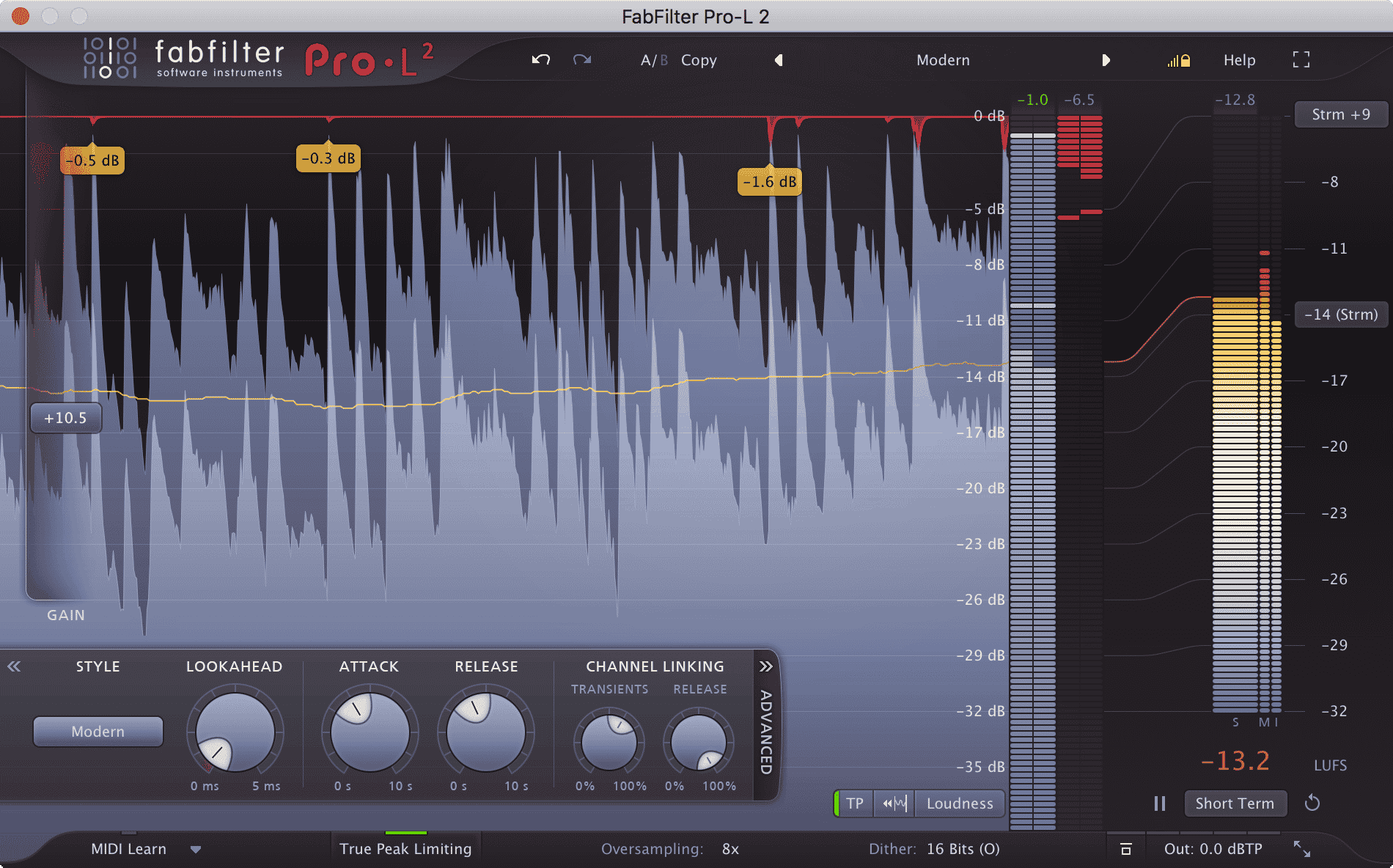
- →Overview of Ozone & FabFilter Suite
- →Critical Listening
Mid/Side
- →What is Mid/Side
- →History of Mid/Side
- →Mid/Side Techniques
Maximizers
- →What is a Maximizer
- →Ozone Maximizer & FabFilter Pro-L walk-through every function.
- →Practical Use
Creating A Mastering Chain
- →Creating an efficient Mastering Chain with Ozone & FabFilter
- →Step by Step Hands-on Instruction
- →In depth explanation of Modules & Signal Flow
Metering / Phase & Dithering Analysis / Stem Mastering
- →Meters used in Mastering
- →Phase & Dithering
- →Stem Mastering for Clients
Advanced Mastering
- →Expanding Your Mastering Chain
- →Using Virtual-Analog Signal Processors
Mastering for Streaming Audio & Broadcasting
- →Explanation & History
- →Modern Day Application
Referencing, Finalizing, Exporting
- →How to Reference
- →Finishing Up
- →Exporting
- →Group Critique
Seattle students take the Mastering Class in a small group at our studio, or live online in the same session with the same instructor, using our specialist music collaboration software, Muse. The city has a deep electronic and independent music scene, and our teachers are part of it. Discover qualities that distinguish us, here.
In our students' words.
“Garnish mix classes helped me the strengthen and expand my knowledge in mixing and mastering techniques immensely. With Grammy-winning engineers, what more could you hope for?!”
Bernardo Passarinho
Instructors



Before you enrol.
36 hours as a group course, or 20 hours as 1-on-1 instruction.
Ozone and the FabFilter suite, covered in depth including their maximizer tools.
Yes - the course covers what Mid/Side is, its history, and practical techniques for using it.
Yes - see Mastering Audio Private Instruction to connect with a specialist.
Yes - there's a section on mastering for streaming audio and broadcasting, including modern-day application.
Yes - the techniques apply to any DAW, but you're required to bring one with you.
$1499 + $100 Registration if booked 14 days before start or $1799 + $200 Registration
Ready when you are.
InquireMastering
Mastering is a vital part of the recording process, so much so that a substantial amount of ‘mystery’ is associated with it. We’ve all heard stories of…
Read →Mastering
A full guide to mastering - what it is, how multi-band compressors work on the master buss, choosing crossover points and prepping tracks.
Read →Recording While Traveling
A harmonious combination; new places, new people, new ideas and new sounds in different lands that present their own rhythms and culture can stir up something good in a natural and genuine way when recording while traveling. The perfect time to try new things, tune your ear, hone your craft, become
Read →Filtering
How filters shape a sound - low-pass, band-pass, comb and notch - plus resonance, envelope control and using filters creatively in a mix.
Read →Delay
Much of the contemporary applications of music technology have shifted away from the natural into, arguably, more creative and artificial-sounding…
Read →5 Mixing Mistakes to Avoid
by Katie Gilchrest When it comes to mixing, establishing a balance is one of the most important parts of creating a professional sounding production. Some of the same miscalculations are made again and again, and fortunately there are ways to recognize, avoid and fix them. Here are five common mixin
Read →