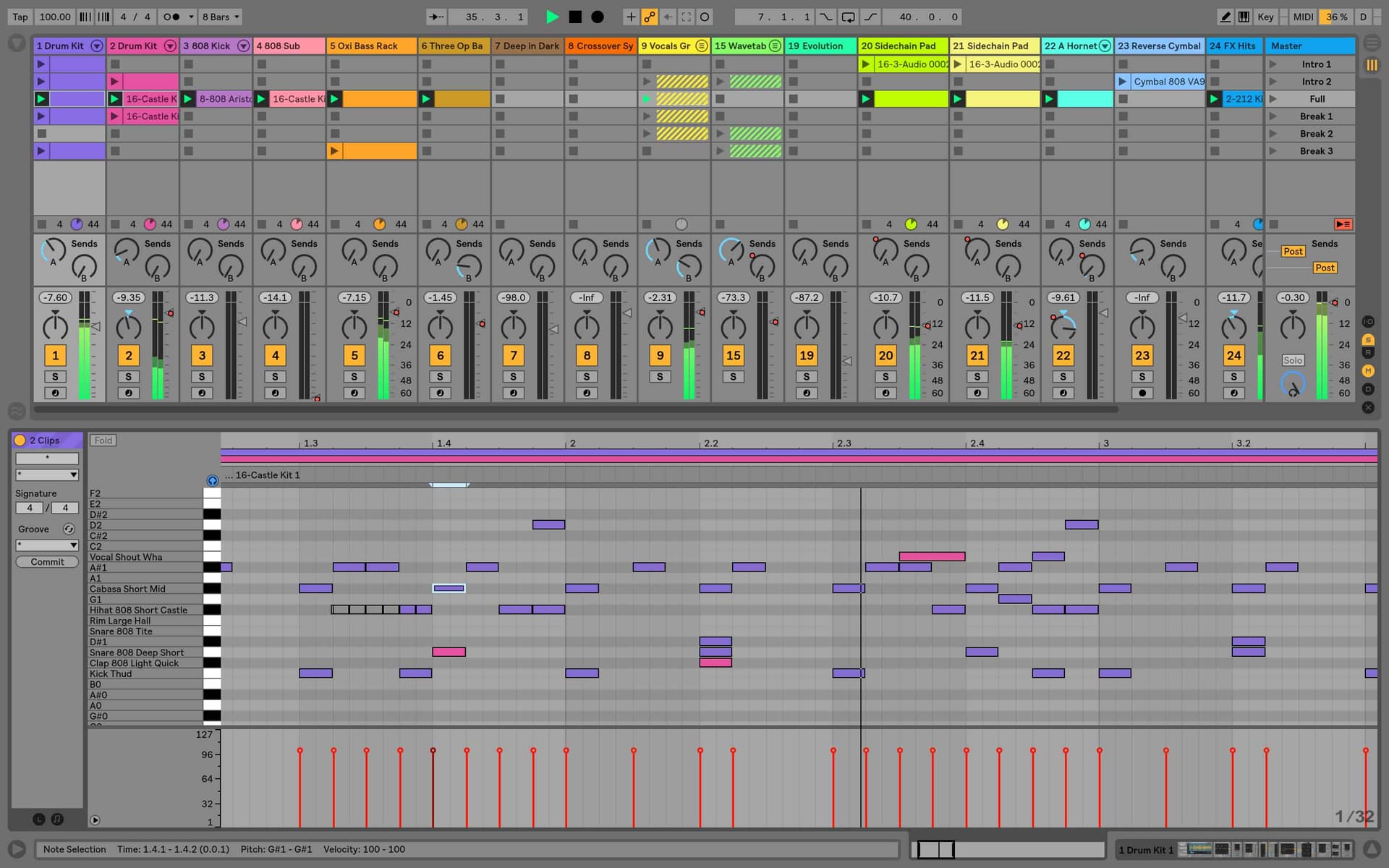
Ableton Live Class | Seattle
Ableton Live Production Course
A Real-World Intro to Music Production
Want to make the music you love but feel overwhelmed by YouTube tutorials and endless how-to books? You're not alone—and you’re in the right place.
Seattle students take the Ableton Live Class in a small group at our studio, or live online in the same session with the same instructor, using our specialist music collaboration software, Muse. The city has a deep electronic and independent music scene, and our teachers are part of it.
Let’s Get Going!
- →How to set up: Audio and the preferences window
- →Explore what makes Ableton different to other DAWs
- →Applications of session view and arrangement view: when to use which
- →Live concepts: clips / browser / scenes / library
- →Launching clips
- →The concept of Ableton’s unique warp engine
- →An introduction to FX
- →An introduction to instruments
Creating With MIDI & Audio
- →How to quantize audio
- →How warping works
- →Clips – exploring clip view & properties of clips
- →How to make beats with Drum Racks & Simpler sampling
- →Live’s effects and employing third-party effects
- →How to record MIDI and set up live looping
- →Basic routing and resampling
- →Automation – how to create dynamic change in arrangements
DJing and Live Performance
- →Preparing whole tracks (warping) and harmonic mixing
- →‘On-the-fly’DJ effects
- →Grouping tracks and basic routing
- →How to use MIDI controllers more effectively / mouse-free control
- →Bespoke Ableton controllers – Akai, Push and Novation
- →Structuring your sets & using loops
- →How to record your performance & edit the arrangement view
- →Bouncing down
MIDI Tracks and Composing with Virtual Instruments
- →Simpler – Learn to unlock the full potential of this simple sampler
- →Drum Rack – Programming beats, how to chop up loops, manipulating sounds, vocals and tracks – making rhythms from any sound source and also exploring the technique of Slice to MIDI.
- →Grooves & how to extract them
- →Using & controlling virtual instruments from third party developers
- →Setting up controllers via MIDI keyboard or drum pad
- →How to get creative with MIDI effects
Recording Techniques and an Introduction to Sound Design
- →Balancing – an introduction to the art of mixing. Group tracks and advanced uses of routing
- →The recording patch in detail, & an introduction to gain structure
- →EQ and compression for recording
- →Introduction to sound waves, frequency & amplitude
- →Foldback, headphone mixes & latency
- →Microphones overview and stereo mic-ing techniques
- →Recording specific aspects of Ableton
- →Digital, analog, sampling rate and bit-rate explained
- →How to compile audio takes
Advanced Techniques
- →Advanced warping – manipulate classical music, a capellas and anything else without beats!
- →Clip envelopes – how to use the unique loop-based technique, unique to Ableton, for automation on audio fx,, midi fx and instruments. Learn to achieve complex music, sound and rhythm manipulation with ease.
- →Multi-track warping
- →An introduction to Racks & Chains – their powerful hidden features. Also includes how to layer FX and instruments
- →Bringing all automation types together – and how to create build-ups and break-downs with complex sounds.
No guesswork. Just music, made by you.
“I needed to brush up on something, so I called Garnish, as they have the best instructors” – Jamie Jones Discover qualities that distinguish us, here.
In our students' words.
“This course helped me become a lot more confident in my ability within Ableton. I learnt a lot of tips and tricks, that even friends who are successful in the industry didn't know about. Every lesson was packed with useful knowledge and I never felt stupid asking ANY questions. I came to this course with very little knowledge of Ableton and had no recording/production knowledge. I am very happy with the level I am at for taking such a short course. 5 stars!”
Vanessa Jadesa
Instructors



Before you enrol.
You can catch it up free on a future cycle, usually your first-choice schedule.
Getting comfortable in Ableton, working with MIDI and audio, live performance and DJing tools, composing with virtual instruments, and more advanced techniques in the Ableton Live Suite.
36 hours, or 20 hours if you take it as 1-on-1 instruction.
Yes - see Ableton Live Private Instruction to connect with a specialist.
Yes - expert-written reference materials so you can keep building on what you learned.
You don't need it before you start - once you enroll, you get a 40% EDU discount so you can buy your own copy.
$1499 + $100 Registration if booked 14 days before start or $1799 + $200 Registration
Ready when you are.
InquireMIDI Recording of Melodic Instruments
All the recording and techniques we used when recording Drums in Impulse also apply here, however now we’re also dealing with notes and note duration
Read →Scales, Key and Tuning Systems
Set the key once and the whole set follows - the note editor, the devices, the browser. Plus what to do when equal temperament is not what you want.
Read →Creative Audio Effects: Shifter
Shifter is a multi-purpose pitch and frequency-shifting audio effect that can be used to add ring modulation to incoming audio or to shift the pitch or…
Read →Working with Video
Live will import video, show it while you work, and export it with your audio. Enough to score a short film, cut a trailer, or sync a set to visuals.
Read →Mapping for Remote Control
Clips can be launched using MIDI notes, either from a keyboard or trigger pads, or from computer keystrokes. Most of the Clip launch modes (all but…
Read →The Max for Live Utilities Worth Knowing
You do not need to open Max to use Max. Six bundled devices - Envelope Follower, LFO, Shaper, Expression Control, Note Echo and MPE Control - that do things Live cannot do otherwise.
Read →