Certified Pop Music Producer Program | Seattle
Certified Pop Music Producer Program
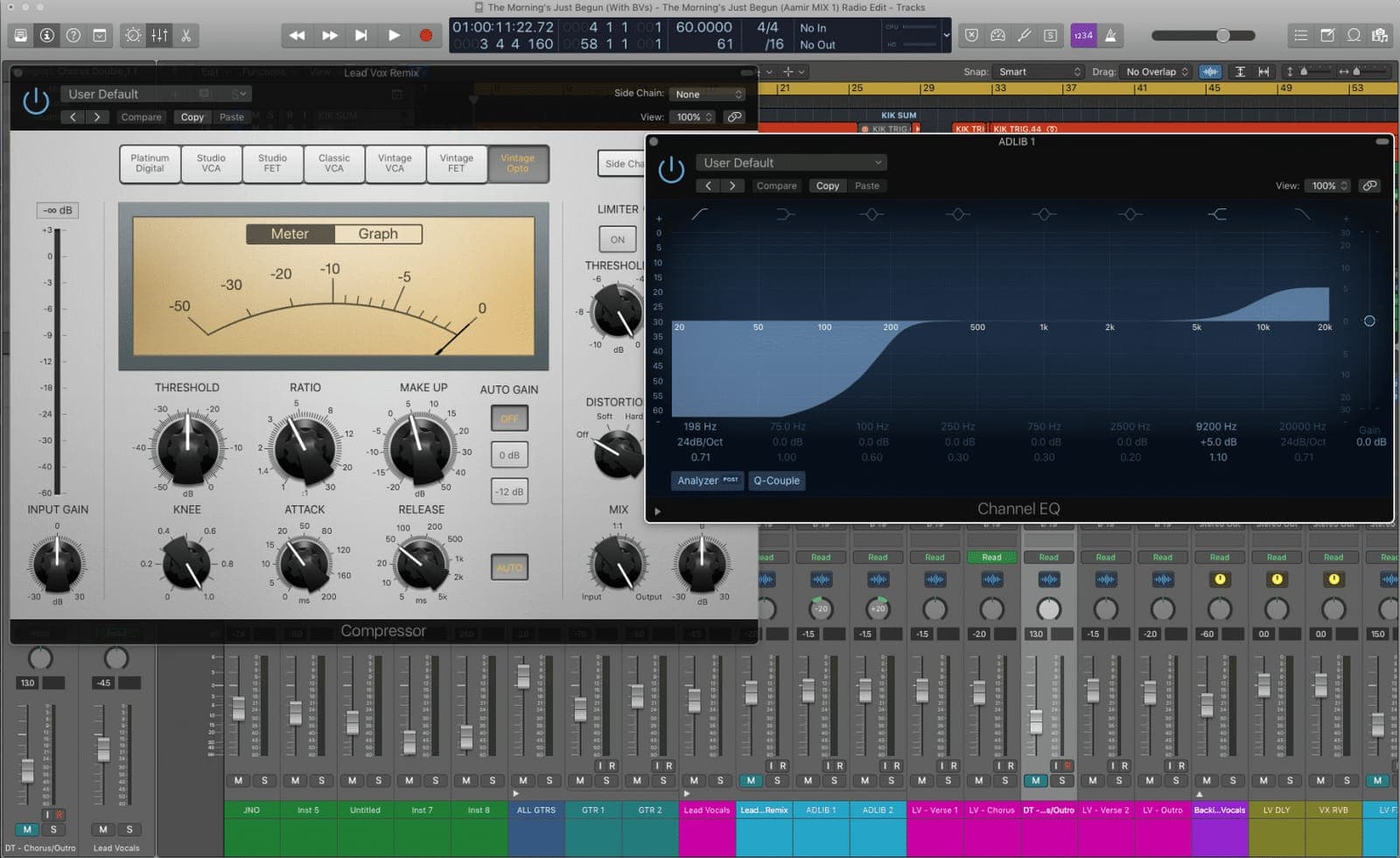
If you're a passionate songwriter or producer ready to level up, it’s time to ditch GarageBand and start creating tracks that actually sound radio-ready. Whether you’re starting from scratch or have some experience but need to tighten up your workflow, our 120-hour Music Producer Program in Logic Pro is built to get real results—with hands-on learning and practical mentoring every step of the way.
Seattle students take the Certified Pop Music Producer Program in a small group at our studio, or live online in the same session with the same instructor, using our specialist music collaboration software, Muse. The city has a deep electronic and independent music scene, and our teachers are part of it.
Logic Pro DAW
- →What Is Logic Pro?
- →More about the Main Window
- →Playback and Navigation
- →Projects - The Basics
- →Create tracks in a project
- →Working with Regions
- →Recording Software Instruments
- →Making Beats using Apple Loops
- →The Chord Track
- →Session Players
- →Making Beats In Step Sequencer
- →Live Loops
- →Arrangement, Global Tracks and Sharing
- →Automation
- →Introduction to Audio Effects in Logic
- →Sampling: History & Copyright Laws
- →Sampling in Logic Pro X
- →Flex Time
- →Audio FX 2
- →Recording Audio
- →Flashback Capture
- →Comping
- →Editing Audio & Managing Projects
- →Stem Splitter
- →Audio FX 3
- →Audio FX 4
- →Side chain and Ducking
- →Folders and Track Stacks
- →Intro to Mixing
- →Key commands
Logic Producer
- →Sampling: Quick Sampler
- →Sampling: Sampler
- →Synthesis: Introduction
- →Synthesis: Logic Synths
- →Synthesis: Logic Synths pt II
- →MIDI FX
- →Step Sequencer: Beyond the Grid
- →Recording: Smart Tempo & Track Alternatives
- →Flex Pitch, Quantizing Audio & Varispeed
- →Selection-Based Processing
- →Working with Video
- →Logic Remote
- →Scales, Chords, Keys and Harmony
- →Chord ID and Region Chords
- →Session Players: Editing the Performance
Mixing & Mastering
- →Choosing Monitors
- →Monitor Placement
- →Acoustics: The Basics
- →Signal Flow
- →Mixing Desk Basics
- →Basic panning techniques
- →Mid/Side and Stereo Width
- →Equalization
- →Filtering
- →Dynamics
- →Reverb
- →Delay
- →Phaser and Flanger
- →The Vocoder
- →Modulation
- →Vocals
- →Automation: Mixing as a Performance
- →More Creative Mixing Techniques
- →Mixing Electronic Music
- →Mastering
Mentoring
- →20 hours of working on your music in class!
This isn’t just another course. You’ll work one-on-one for six hours of personal mentoring with an expert of your choice from our top-tier roster—including Apple-certified T3 trainers—in our professional studio. It’s about your music, your goals, and your sound.
You’ll master Logic Pro (yes, the full, pro version), plus all the amazing built-in instruments, effects, and add-ons. We’ll show you how to use every tool with purpose and efficiency, so you can produce top-quality tracks in the genre you love.
Small classes, big results. We keep our class sizes intentionally small to create a relaxed, focused learning environment surrounded by like-minded creatives. Producing music should feel exciting—not overwhelming. Discover qualities that distinguish us, here.
In our students' words.
“I took the Garnish class and it opened up my eyes to the fundamentals of production.”
J-Dog (Hollywood Undead)
Instructors


Before you enrol.
Intentionally small, for a relaxed and focused learning environment.
Yes - six hours of personal mentoring with an expert of your choice, including Apple-certified T3 trainers.
120 hours.
One pack features individually recorded samples from Mark Ronson's Mellotron M4000D, recorded in his own Hollywood studio.
Premium synths, effects and samples through exclusive licensing deals, plus Garnish's own boutique sample packs.
Not at all - it's specifically built to take you from GarageBand up to producing radio-ready tracks in the full version of Logic Pro.
$4,499 + $100 registration fee
Ready when you are.
InquireProjects- The Basics
We can begin to work in Logic Pro by creating a new project, or opening an existing one. A Project is the document that contains all your recordings, the…
Read →Open/Close Instrument Plug-In Window of Focused Track
Logic Pro 10.4 can open and close the instrument, audio insert and MIDI FX windows of the focused track by key command. Here's how to set it up.
Read →Sampling: Sampler
Sampler is a software sampler, and in essence an extended version of Quick Sampler. It plays back samples, that you load into it, but these samples are…
Read →The Environment
The deepest, strangest room in Logic: a virtual wiring diagram of your entire MIDI setup, where data is patched between objects like a modular rig.…
Read →Recording Software Instruments
Before you can begin recording software instruments in Logic Pro, you should connect a music keyboard to your computer to play and record the built in…
Read →Working with Video
Logic, being the all round DAW that it is, gives you the ability to work with video files in order to compose along to. The scope of all of the reasons…
Read →