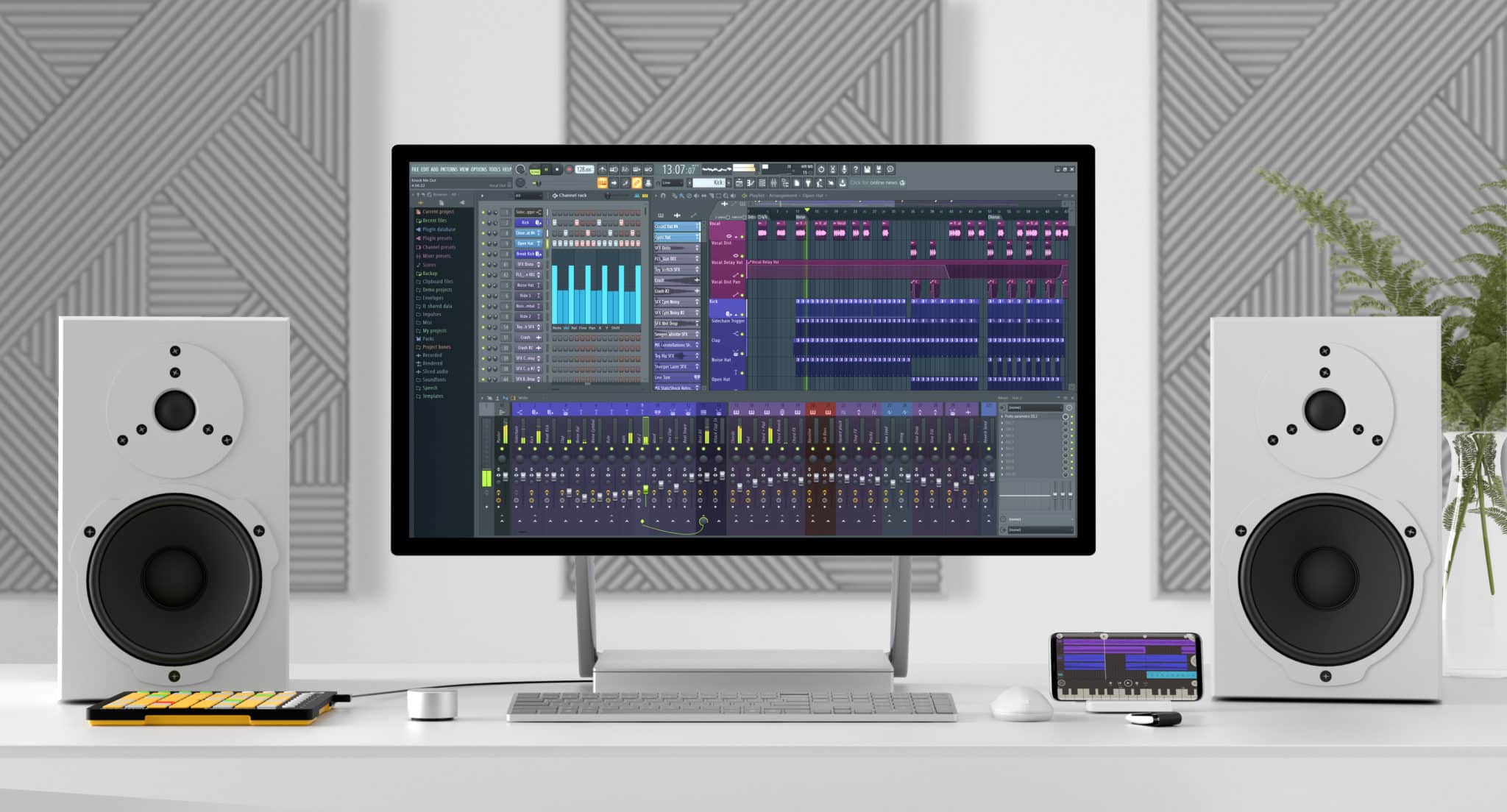
FL Studio Course
Build Beats. Shape Sound. Finish Tracks.
FL Studio has become a go-to DAW for electronic music producers and beat-makers around the world—but whatever your genre, if FL is your weapon of choice, and you want your name on this list of notable users, this course will give you the tools and confidence to have the best chance.
Whether you're a complete beginner or already making tracks in FL, this 36-hour course delivers deep, structured training in music production, beat-making, and engineering. We cover every major element in detail, packed with real-world tips and techniques that even experienced users find game-changing. You’ll leave with a solid workflow, polished production skills, and a competitive edge over anyone stuck in YouTube rabbit holes.
Classes are live and interactive—in-person or live online—so you can ask questions and get feedback in the momentwhen you're inspired... or confused. It’s this kind of immediate, practical support that makes in-person learning so effective.
Main Menu Bar
- →File Menu
- →Edit Menu
- →Add Menu
- →Patterns Menu
- →View Menu
- →Options Menu
- →Tools Menu
- →Help Menu
Toolbar
- →Editing the Toolbar
- →Main Menu
- →Title & Hint Panel
- →Transport Panel
- →CPU & Memory Panel
- →Global Snap Panel
- →Output Panel
- →Online Panel
- →Pattern Panel
- →Shortcut Icons
- →Time Panel
- →Multilink Controllers Icon
- →Main Volume & Pitch Panel
- →Window Controls
File Browser
- →Plugin Database
- →Project Browser
- →Advanced folder stuff
Channel Rack & Step Sequencer
→ Channel Button Menu
Channel Settings
- →Main Control
- →Sampler Setting
- →Instrument Setting
- →Miscellaneous Setting
- →Automation Clip Setting
- →Layer Setting
- →Plugin Window Setting
Piano Roll
- →Piano Roll Arpeggiator
- →Piano Roll Articulator
- →Piano Roll Chopper
- →Piano Roll Claw Machine
- →Piano Roll Flam Tool
- →Piano Roll Flip Tool
- →Piano Roll LFO Tool
- →Piano Roll Key Limiter Tool
- →Piano Roll Menu
- →Import MIDI Data Dialog
- →Piano Roll Quantizer
- →Piano Roll Randomizer
- →Riff Machine
- →Piano Roll Scale Level Tool
- →Piano Roll Strum Tool
Playlist
- →Patterns
- →Audio Clips
- →Automation Clips
- →Performance Mode
Instrument / Generator Plugins
→ We explore all the instruments FL studio has to offer, which are too many to list here!
Mixer & Mixing
→ We dive deep into the vast mixing tools that come with FL Studio, which are too many to list here!
Installing & Using VST / AU Plugins
Recording: Audio, Notes & Automation
- →Audio Recording
- →Audio Interfaces (USB Microphones)
- →Note Recording
- →Note Step Entry
- →Automation Recording
- →Linking USB/MIDI Controllers
- →MIDI Scripting
- →Preconfigured Controllers (USB/MIDI)
- →Linking Internal Controller Plugins
- →Mapping Formula
- →Automation Clips
- →Automation Event Editor
- →LFO Tool
- →Scale Levels Tool
- →Import MIDI Data Tool
Edison Wave Editor & Recorder
- →Edison: Sample Properties
- →Edison: Amp Tool
- →Edison: Blur Tool
- →Edison: Convolution / Reverb Tool
- →Edison: Claw Machine Tool
- →Edison: Drum Tool
- →Edison: Equalize Tool
- →Edison: Noise Removal Tool
- →Edison: Script Tool
- →Edison: Time Stretch / Pitch Shift Tool
- →Edison: Tune Loop Tool
ReWire Support
- →Client Mode
- →Host Mode
Installing & Using VST / AU Plugins
→ FL Studio as a Plugin (VST / AU)
What our students say.
“It’s a great school and have great teachers. Some schools care only about fancy gear in the classroom and forget about the essential: the teachers!”
João Gama
Frequently asked questions.
Ready to get started?
Enroll nowWhy choose Garnish?
Related reading.
The Best Portable Speakers on the Market
Devious Soul shares his thoughts on the best portable speakers on the market There once was a time when the above contraption was the only way to make your sounds loud and portable but let’s face it; the 'boom-box' was a pretty cool piece of kit! Alas, as technology has advanced over the years and e
Read →Kinetic Metal
KINETIC METAL is an inspiring, highly-playable instrument of unconventional sources for ethereal textures and tonal percussion part of Native Instrument´s infamous sampler Kontakt 5.
Read →Social Media Marketing Tips For Your Music
Social Media Marketing Tips For Your Music While the goal is to work full-time in the music business, unfortunately, that’s just not the case with most artists, producers, and other industry professionals. Most of us are juggling a job education, a family or even just a combination. Sadly, artists a
Read →Ableton Live 10 | New Features - What's New VIDEO
Now Ableton has made the big announcement, we can finally give you a first look! As New York City is our newest location, Garnish New York Ableton Live instructor Michael Hatsis (aka Bangingclude) goes through some of the new features in the new Ableton Live 10! Firstly he delves into the new Waveta
Read →Logic Classes | How To Use Logic Pro 9
Our Logic Pro classes differ from most Logic classes you see in London; not only do you learn how to use Logic Pro 9, but you also learn how to make a record from instructors including Larry Holcome who is an Apple Logic certified trainer and also makes records at the very top level. In our Logic Pr
Read →Mastering Tips for Beginners
Mastering Tips for Beginners By Katie Gilchrest Every stage of the recording process matters, but a crucial point for adding continuity, balance and refinement is in the mastering. Mastering wraps up a production, providing flow between tracks, congruous volume levels, and consistent playback on all
Read →